

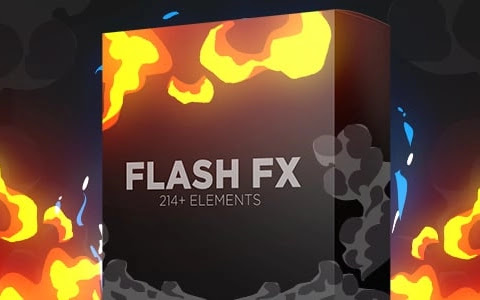
Thinking of the Flash FX Elements Pack for FCPX as a “cheat code” for your video edits isn’t far from the truth. It’s essentially a library of high-energy, pre-rendered visual assets designed to give your projects professional polish without requiring a degree in motion graphics.
Here is a streamlined breakdown of how it works and why it’s a staple for modern editors.
What’s in the Box?
At its core, “Flash FX” refers to stylized, high-impact visuals—think lightning bolts, energy blasts, and cinematic light hits. Because these are Elements, they are individual files (often .mov with Alpha Channels) rather than a single fixed filter.
Common Visual Tools
| Effect Type | What it does | Best for… |
| Light Leaks & Flares | Mimics light hitting a camera lens. | Dreamy transitions or “organic” vibes. |
| Glitches & Distortions | Digital “errors” and static. | High-tech intros or transition “punches.” |
| Film Burns & Scratches | Simulates aging, physical film. | Vintage, retro, or “gritty” aesthetics. |
| HUD & Abstract Shapes | Geometric lines and UI elements. | Sci-fi tech or data-heavy presentations. |
| Particles & Dust | Floating debris or glowing sparks. | Adding depth and “atmosphere” to flat shots. |
The Workflow: Drag, Drop, Done
The beauty of using these in Final Cut Pro X is the native compatibility. Since these files usually come with a transparent background (Alpha Channel), you don’t have to worry about “cutting out” the effect.
- Import: Toss the files into your FCPX Event Library like any other clip.
- Layer: Drag the effect onto the timeline, placing it above your primary footage.
- Refine:
- Blending Modes: Switch the mode to Screen or Add to make light effects pop.
- Color Grading: Use the Color Inspector to tint a “white” flash to match your scene’s palette.
- Timing: Use the Blade tool ($B$) or Retime tool ($Command + R$) to sync the flash perfectly with a beat in your music.
Who is this for?
- Social Media Creators: To keep retention high on YouTube, TikTok, or Reels.
- Event Videographers: To add “magic” to wedding highlights or concert recaps.
- Indie Filmmakers: To achieve high-budget looks on a DIY timeline.
A Note on Creative Restraint
Pro Tip: Just because you have 500 glitch transitions doesn’t mean you should use all of them in one 30-second clip. Visual effects are like salt: use them to enhance the flavor of your story, not to drown it out. If the viewer notices the effect more than the content, it might be time to dial it back.







Leave a comment